Effective Email Subject Lines: 9 Best Practices and Examples
The subject line is the one piece of copy every recipient reads. This covers nine practices for writing one, when title case beats sentence case and when it does not, what AI is and is not useful for here, and example subject lines for five emails a business sends regularly.
What Is an Email Subject Line?
The email subject line is the text you see right after the sender name when your email reaches your inbox. It summarizes the main purpose of the email and makes you decide whether you will open the email. The professional email subject line should include all key information like topics and deadlines to help the recipient quickly understand the importance of the content.
Why Is the Subject Line Important?
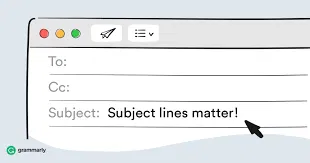
Before opening an email, a recipient sees three things: the sender name, the subject line, and a snippet of preview text. The subject line is the only one of the three written fresh for every send, which makes it the one piece of copy every recipient reads.
Treat published open-rate statistics about subject lines with suspicion. Apple Mail, for example, has been able to “privately download remote content in the background when a message is received (instead of when you view it)” since Mail Privacy Protection was introduced with iOS 15 in 2021, per Apple’s own documentation. This means that the tracking pixel that records an open fires whether or not anyone opened the email.
Open rate is therefore no longer a clean measure of subject-line performance for any list with Apple Mail users on it. Measure subject lines with an A/B test against your own list, and judge them on replies, clicks, and conversions rather than opens.
How to Write a Subject Line: Best Practices
Below you will find a few tips on how to make the most of your subject line.
1. Be Clear and Concise
How long should a subject line be? Much email is read on a phone, where a long subject line is truncated mid-phrase and the cut-off point is where the reader decides whether to open. Summarize the email in roughly 6 to 10 words, or up to 55 characters.
2. Personalize
Personalization is what separates an email addressed to you from an email addressed to a list, and recipients read the difference immediately. Get to know your audience and tailor the message to them. Use their name, location, company, recent project, or any other information you have. Email editors like Topol allow you to do this easily with merge tags (i.e. dynamic values that populate with your data).
3. Use Powerful Words
Use powerful words and trigger emotional and psychological responses. Similarly, you can try to wake up the recipient's curiosity to open the email. Or, engage the recipient by asking a relevant question.
4. Get to the Offer
Put the most important info and keywords at the beginning of your subject line. You don't need to say everything, but make the recipient understand what the email is about and what value it brings to them. Ensure the subject line accurately reflects the email's content to avoid misleading the reader.
5. Play into the Story and the Topic
Include trending topics in the subject - people won't open your email unless they see a topic that resonates with them. It’s admittedly tough to tell the whole story in one line, but you can imply or tease around it.
6. Use Numbers
A number in a subject line tells the reader the scope of what is inside before they open it, and a digit is faster to scan than the word for it. For example, “3 changes to your billing” sets an expectation that “important billing information” does not.
Numbers are much easier for our brains to process and much more easily visible than text. For more information on how the brain reads emails, check out our blog on email psychology.
7. Proofread Your Text
This one sounds obvious, but you might be surprised how many people don't do it. And with AI and other spell-checkers so readily available today, there's no excuse for typos.
8. Consider Using Emojis
Emojis can make your subject stand out. Go look at your inbox to see for yourself - usually there are a few emojis standing out against a wall of text. But be careful, because if you use them too much they can cheapen your communication.
9. Test Your Subject Line
Improve your subject lines constantly, especially for recurring emails, where each send gives you something to compare against. A/B testing is how to do it properly: change one thing, send both versions to comparable segments, and judge them on replies and clicks rather than opens. Producing the variants is the quick part in Topol PRO, since you can duplicate a template and change a single line; the test itself runs in whatever platform you send from.
Should You Use AI to Write Subject Lines?
Use it to generate variants, but not to choose one, because although AI tends to "know everything," it often lacks the experience required for successful implementation.
Treat the output as a first draft that still has to pass the rules above: short enough to survive truncation on a phone, specific about what is inside, and in the same capitalization convention as the rest of your email. Then put two or three candidates in front of your own list and judge them on replies and clicks.
There is a second reason not to let a tool pick for you. AI subject-line features usually rank their suggestions by predicted open rate, which is the number described at the top of this article, and the one Apple Mail's pixel preloading made unreliable. How AI changed email deliverability covers why that happened.
Should an Email Subject Line Be Capitalized?
Both title case and sentence case are correct, but the key is consistency. Just remember: Title case is usually not used in person-to-person emails because normal people don't think about this when writing single emails to other individuals. Marketing and transactional emails, however, often use title case, because they are meant to reflect an entire brand rather than an individual sender. But the choice is yours.
Title case capitalizes every word except short articles, conjunctions, and prepositions: “Your Invoice for March Is Ready.” It reads as composed and deliberate, which is why it is common on campaigns, newsletters, and announcements.
Sentence case capitalizes only the first word and any proper nouns, e.g. “Quick question about your onboarding flow.” It's almost universal for person-to-person emails, but some organizations also use it for marketing and transactional emails.
Title case has more than one standard. AP, Chicago, APA and MLA each treat short words differently, which is a second way to drift without noticing. Pick one and record it wherever the rest of your brand rules live. Capitalize My Title converts a line into any of them for free.
Professional Email Subject Line Examples
Five scenarios below, with each being an email a business sends routinely. What separates the good ones from the forgettable ones is not cleverness, but the mention of a specific detail the recipient recognizes.
The campaigns, announcements and transactional emails use title case, while the one-to-one emails use sentence case. Which one you choose to use is up to you.
A Marketing Newsletter or Campaign
A newsletter subject competes with every other newsletter in the inbox, so name the most useful thing inside upfront. Examples:
- Topol's Monthly Newsletter: Collaboration Features, Tutorials and More
- Dark Mode Broke Your Last Campaign. Here Is the Fix.
- 4 Free Black Friday Templates, Ready to Edit
- The One Email Metric That Stopped Working This Year
For more about newsletter format itself, see our complete guide on how to write a B2B newsletter. The dark mode example is a real failure, and the guide to designing emails for dark mode covers what breaks and how to check it before sending.
A Cold Email to a Prospect
Sentence case, no pitch, and a reason you are writing to this person. A subject that could have been sent to anyone gets treated like it was. Keep it short enough that the whole line is visible on a phone:
- Quick question about your onboarding emails
- Saw your new pricing page
- One thing about your signup flow
- [Mutual connection] suggested I get in touch
Outreach email has its own specifics beyond the subject line, including how to open without a pitch and when to follow up.
A Client Update from an Agency or Freelancer
Lead with the deliverable and the state it is in, so the client can tell from the subject alone whether this needs them now or can wait. Vague check-ins are what turn into unanswered threads:
- Campaign draft ready for your review
- June report: 3 things worth your attention
- Approved and scheduled for Thursday
- Need your sign-off before Friday to hit the send date
A Product Announcement or Release Note
Say what changed and who it affects. A version number alone means nothing to the person receiving it, and “exciting news” means less:
- You Can Now Edit Templates Without a Developer
- Loop Blocks: Build One Row, Repeat It Automatically
- Two Changes to How Exports Work
- Your Old Templates Keep Working. Here Is What Is New.
A Transactional Email
These are read in a hurry and searched for months later, so put the identifying detail in the subject itself. A recipient hunting for a receipt searches for the order number, not for the word “receipt”:
- Your Password Reset Link (Expires in 1 Hour)
- Order #4821 Confirmed
- Invoice 2026-08 from [Company]
- Your Export Is Ready to Download
Transactional email goes out under the brand rather than from a person, so the simplest thing is to capitalize according to the convention your marketing campaigns already use. However, the styling counts less here than getting the identifying detail into the subject.
These are also the emails a product sends on its own, and they go stale for a structural reason: developers are the bottleneck for editing them. Topol's sister product, Lettr, is an email platform that gives non-developers full control over transactional email templates.
Frequently Asked Questions
How Long Should an Email Subject Line Be?
Aim for 6 to 10 words, or under about 55 characters, so the full line stays visible on a phone screen. Anything longer gets truncated mid-phrase, and the truncation point is where the reader decides whether to open.
Should the Subject of an Email Be Capitalized?
Either convention is correct, so the thing to get right is using the same one every time. Mixed styling makes consecutive emails look like they came from different senders. Title case is common on campaigns and newsletters, sentence case on one-to-one email, and the one line worth holding is to keep sales and partnership outreach in sentence case so it does not read as a mass send.
Do Emojis in Subject Lines Help or Hurt?
They raise visibility in a crowded inbox and lower it with some professional audiences, so the answer depends on who you send to. Test them against a plain version on the same list before adopting them as a default. And don't overuse them either.
What Makes a Subject Line Look Like Spam?
All capitals, exclamation marks, too many emojis, and a promise the email body does not deliver on.
Should I Put the Recipient’s First Name in the Subject Line?
Test it rather than assuming. Bulk senders have used personalization tokens heavily for years, so a first name in the subject line can read as a mail-merge signal rather than a personal touch.
Can AI Write Email Subject Lines?
It can generate them, and that is the part worth using: a list of twenty candidates costs almost nothing to produce. Judging them is the part to keep, because the tools rank suggestions by predicted open rate and open rate is no longer measurable. Shortlist by hand against the rules above, then test.
Summary
A subject line has one job: give the recipient enough to decide, alongside your sender name and the preview text next to it. Keep it short enough to survive a phone screen, specific about what is inside, and in the same capitalization convention as everything else you send. Then judge it on replies and clicks, because open rate will not tell you.
Drive More Email Engagement with Topol.io
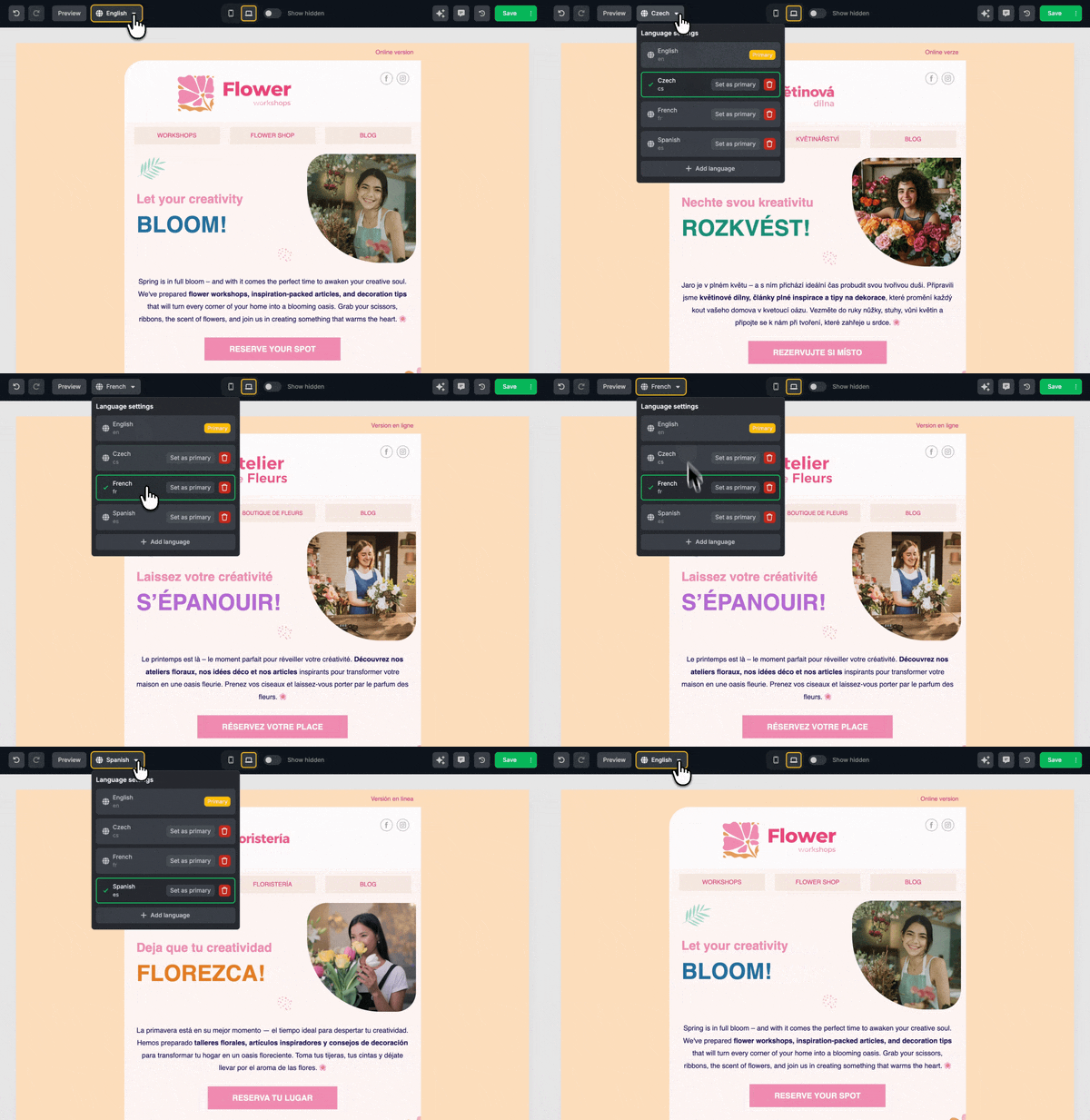
A great subject line is only half the battle. The rest is having a tool that makes crafting, designing, and sending strong content as easy as writing that line. Topol PRO gives you the power to make every email stand out.
Here’s why Topol is the perfect email design companion:
- Drag-and-drop email builder - Drag and drop whatever you need into your email template, then focus on your message.
- Template library built for conversion - 400+ professionally designed templates optimized to support strong subject lines.
- Merge tags & personalization tools - Personalize subject lines and content dynamically, so every email feels like it’s written for each recipient.
- Preview everywhere, publish once - See how your subject line + email look in every email client (Gmail, Outlook, etc.) and catch mistakes before sending.
- Fast iteration & A/B testing - Try multiple subject line and design variants, and analyze what works without switching tools.
- Integrated workflow for devs + marketers - the Topol PRO app is for marketers designing emails, but we also offer a Topol Plugin for developers who want to embed Topol's email editor in their SaaS apps.
Start a free trial today and see for yourself how Topol can help you up your email game.